Homework quest
Change the title to HOMEWORK QUEST and set Focus to 20 minutes for your kids. Four finished sessions take them to the next level.
How it’s set up
- Title
- HOMEWORK QUEST
- Focus
- 20 minutes
- Show next level
- On
A dark indigo-to-purple card with a FOCUS QUEST title, a level badge and an XP bar. Each finished session adds to your count, and every four sessions raise your level.
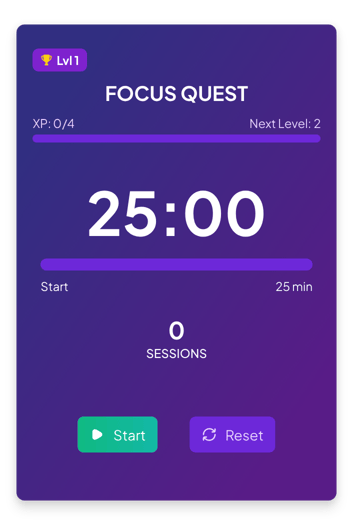
Each example puts the widget on a Notion page and lists the settings it uses.
Change the title to HOMEWORK QUEST and set Focus to 20 minutes for your kids. Four finished sessions take them to the next level.
Change the title to SQL QUEST and the session label to LESSONS. The widget saves your sessions and level, so the quest goes on the next day.
Set Focus to 15 minutes and clear one room per session. The XP bar shows how close you are to the next level.
The same pomodoro widget with a different look. Each variant has its own page.
Small page columns that need a plain focus timer
Full Pomodoro cycles with focus sessions, short breaks and long breaks
Journals, notebooks and pages with a warm cream and brown look
Calm pages where you want to see the session grow
Start from the Gamified variant and change any part of it. Try it in your browser first, no account needed.