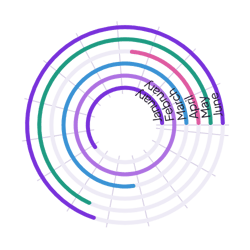
Savings by fund
Add one row per fund with the amount saved. Turn on center text with a $ prefix to show the total in the middle.
How it’s set up
- Labels from
- Fund
- Values from
- Saved
- Show center text
- On
- Label
- Saved
- Prefix
- $
Colored rings with rounded ends on a faint track, each labeled at its start, with nothing behind them. Hover over a ring to see its value.
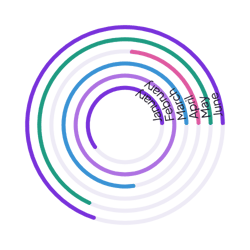
Each example puts the widget on a Notion page and lists the settings it uses.
Add one row per fund with the amount saved. Turn on center text with a $ prefix to show the total in the middle.
Log each reading session with a Book and a Pages property. Each ring adds up the pages for one book this month.
Log each check-in as a row with a Habit property. Leave Values from empty, and each ring counts the check-ins for one habit.
The same radial chart widget with a different look. Each variant has its own page.
Comparisons where readers judge ring lengths closely
Start from the Normal variant and change any part of it. Try it in your browser first, no account needed.