
Horoscope
Show a horoscope reading on your Notion page. You set the zodiac sign and a daily, weekly or monthly period. Press Refresh Horoscope to load the reading.
- Zodiac sign
- One sign, chosen in the editor
- Period
- Daily, weekly or monthly
- Notion data
- None needed
3 variants to start from
Pick the one closest to what you want, then change it in the editor.
Variants 1 of 3
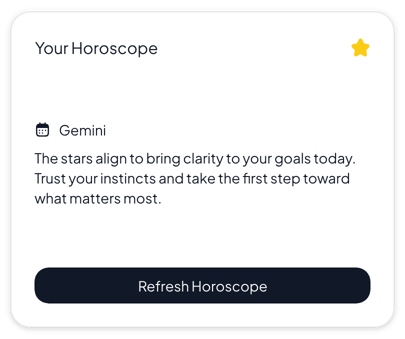 View Normal horoscope
Normal
Personal dashboards and daily planners that need a clear, easy-to-read card
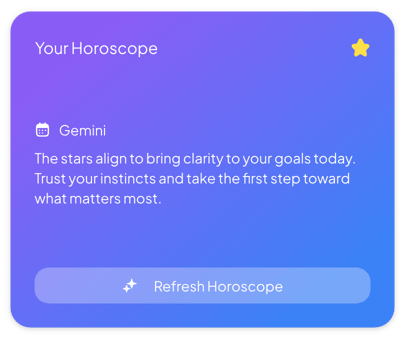 View Gradient horoscope
Gradient
Colorful dashboards and home pages where the reading should stand out
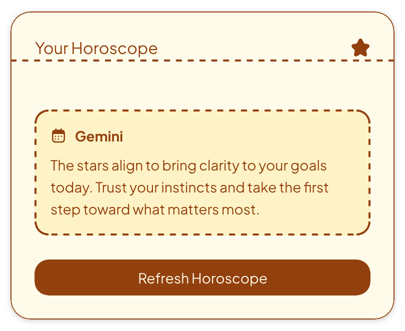 View Retro horoscope
Retro
Vintage journals, warm-toned pages and personal home pages with a paper look
Add it to Notion in three steps
Pick a variant, make the horoscope yours in the editor, then embed it in a Notion page.
Create the widget
Click Create widget in Blocky, then choose a category, a widget type and a template.
Make it yours
Connect a Notion database if the widget takes Notion data. Change the text, colors and settings in the editor, then click Save.
Embed it in Notion
Copy the Embed link from the widget's card. On your Notion page, type /embed, choose Embed and paste the link.
More misc widgets
View all misc widgets
Make a misc widget your own
Start from any variant, change the words and colors in the editor, and embed it in Notion with a link.