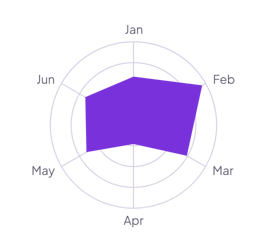
Skills self-assessment
Rate each skill from 1 to 10. Set Scale to Fixed with a Maximum of 10, so the web always shows the full range.
How it’s set up
- Labels from
- Skill
- Values from
- Score
- Shorten to
- 0
- Scale
- Fixed
- Maximum
- 10
A straight-edged web with a solid shape inside, one corner for each label and the labels at the tips. Hover over the shape to see each value.
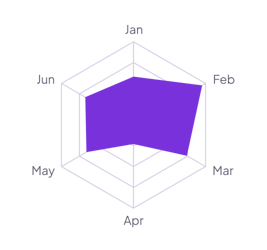
Each example puts the widget on a Notion page and lists the settings it uses.
Rate each skill from 1 to 10. Set Scale to Fixed with a Maximum of 10, so the web always shows the full range.
Add one row per ability with your character's score. The default three-letter labels turn Strength into Str, like a character sheet.
Add one row per criterion with a number property for each candidate. Turn on the legend to tell the two shapes apart.
The same radar chart widget with a different look. Each variant has its own page.
Wheel of life reviews and pages with a softer, rounder look
Start from the Normal variant and change any part of it. Try it in your browser first, no account needed.