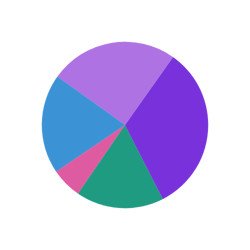
Investment mix
Add one row per holding with an Asset type and a Value property. Turn on Show totals to list each amount in the legend.
How it’s set up
- Labels from
- Asset type
- Values from
- Value
- Show totals
- On
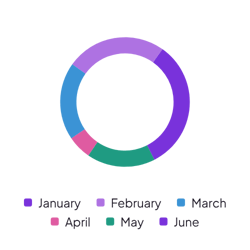
A ring with a hole in the middle and a legend below that names each slice. The open center keeps the chart light on busy pages. Hover over a slice to see its value.
Each example puts the widget on a Notion page and lists the settings it uses.
Add one row per holding with an Asset type and a Value property. Turn on Show totals to list each amount in the legend.
Add one row per guest with an RSVP property. Leave Values from empty to count the replies, and raise the hole size for a thinner ring.
Log each food with a Meal and a Calories property. A small slice gap and rounded corners keep the slices apart.
The same pie chart widget with a different look. Each variant has its own page.
Small breakdowns with a few clear parts
Start from the Donut variant and change any part of it. Try it in your browser first, no account needed.