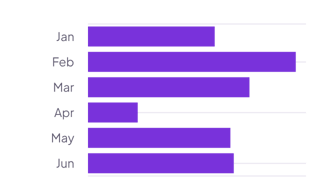
Tasks by status
Leave Values from empty, and each bar counts the tasks with one status. Set Shorten to 0 so names like In progress show in full.
How it’s set up
- Labels from
- Status
- Values from
- Empty, to count rows
- Shorten to
- 0
Vertical bars rise from the bottom, one for each label, with the labels below. With several series, each bar stacks them. Hover over a bar to see its value.
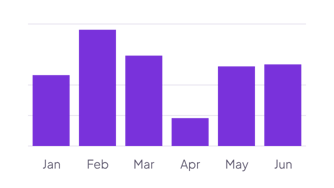
Each example puts the widget on a Notion page and lists the settings it uses.
Leave Values from empty, and each bar counts the tasks with one status. Set Shorten to 0 so names like In progress show in full.
Pick up to twelve number properties, such as Rent, Food and Fun. Each bar stacks them, so you see the parts and the total for the month.
Log each workout with a Day and a Minutes property. Turn on value labels to show the total above each bar.
The same bar chart widget with a different look. Each variant has its own page.
Rankings and lists with long names, such as projects or people
Start from the Normal variant and change any part of it. Try it in your browser first, no account needed.