
Have an idea for a widget that doesn’t exist yet? Want to request a feature or report a bug in Blocky?
You can share your thoughts directly through our Featurebase-powered feedback board — a simple and transparent way for users to shape the future of Blocky.
How to Suggest a Widget or Feature
To submit a new idea:
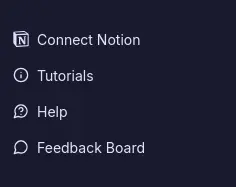
- Open the Blocky dashboard and click the Feedback Board button in the sidebar or go directly to Blocky Featurebase
- Sign in or create a free account
- Click "Submit Idea" to request a new widget or feature
- Add a clear title and description so others understand your idea
- Submit it — and others can now vote on it!
How to Report Bugs or Issues
If you've encountered any bugs, glitches, or issues while using Blocky, you can report them directly in Featurebase too.
Just:
- Visit Blocky Featurebase
- Choose the Bug Report category
- Describe the issue you're facing
- Attach screenshots if needed
We regularly review bug reports and notify users once a fix is released.
Why We Use Featurebase
Featurebase helps us:
- Collect and organize user feedback in one place
- Let the community vote on what matters most
- Provide real-time status updates on feature development
- Notify you when your request ships
This means your voice directly shapes what we build next.
What You Can Do on the Feedback Board
- Submit ideas for new widgets or features
- Report bugs, errors, or UX issues
- Vote on other users' ideas
- Track progress on planned and released updates
- Get notified when your idea goes live
Other Articles
- Data Sources Update
- How To Embed
- Chart Column Types
- How To Create Widget Codes
- Connect Blocky To Notion
Filed under Help
RELATED · 03
Related entries
How to Create and Use Notion Widget Codes in Blocky
Learn how to generate, share, and import Notion widget codes in Blocky to duplicate styles, themes, and designs without sharing your data.

Supported Notion Column Types for Blocky Charts
See which Notion property types work with Blocky chart widgets, including label, value, date, select, and rollup fields.

How to Connect Your Notion Workspace to Blocky
Learn how to connect your Notion workspace to Blocky to build custom widgets like charts, flashcards, and quotes using your Notion databases.
Compose · Preview · Embed
Customize a widget, then embed it anywhere in Notion
Shape one of Blocky’s 60+ widgets to your data and layout, preview the result live, then drop the embed link into any Notion page. Sign in to start customizing.
Start customizing